Shopify store + automation2026
Fitness-apparel store & kit operations
I develop the Shopify store of a Brazilian fitness-apparel brand (home page, collections, product pages with gallery, cart and speed work) and the kit operation behind it: a step-by-step kit builder and a service that turns each paid kit into ERP stock movements for the pieces the shopper chose.
Store
Home, collections, product pages and cart
The brand sells fitness apparel by colour and size, and many pieces are also sold in kits. I work on the pages a shopper passes through:
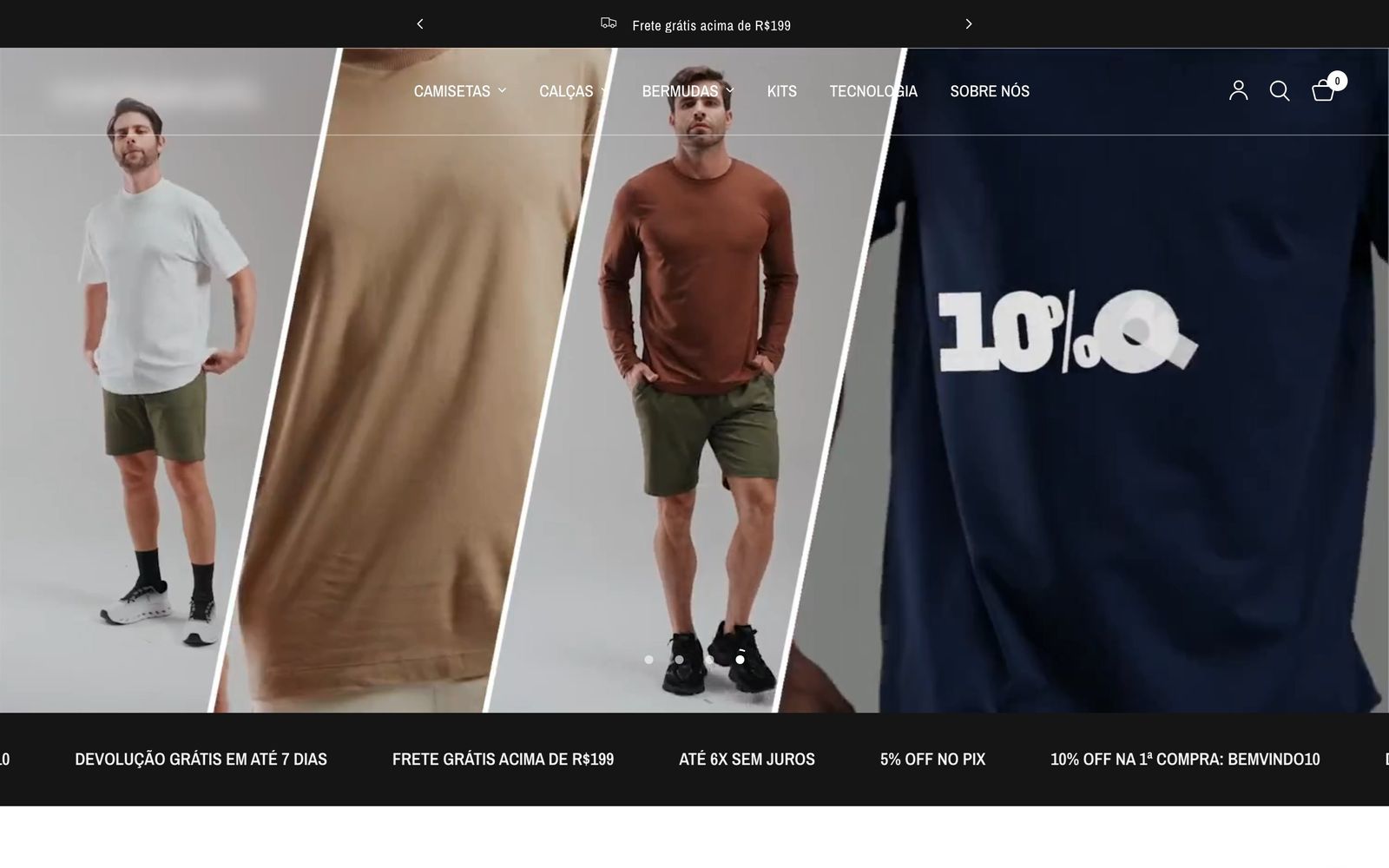
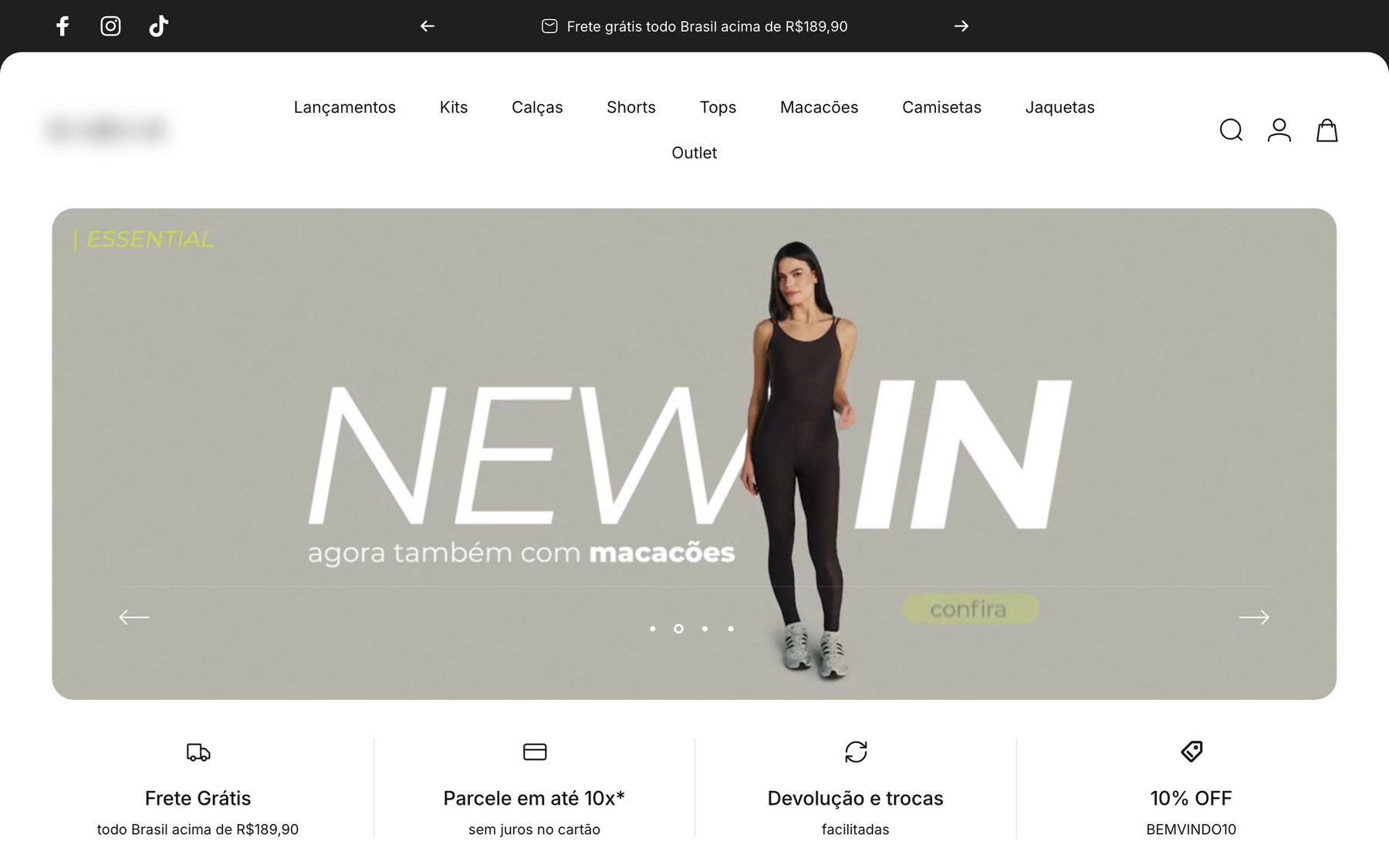
- Home page: campaign banners, featured collections and the newsletter block.
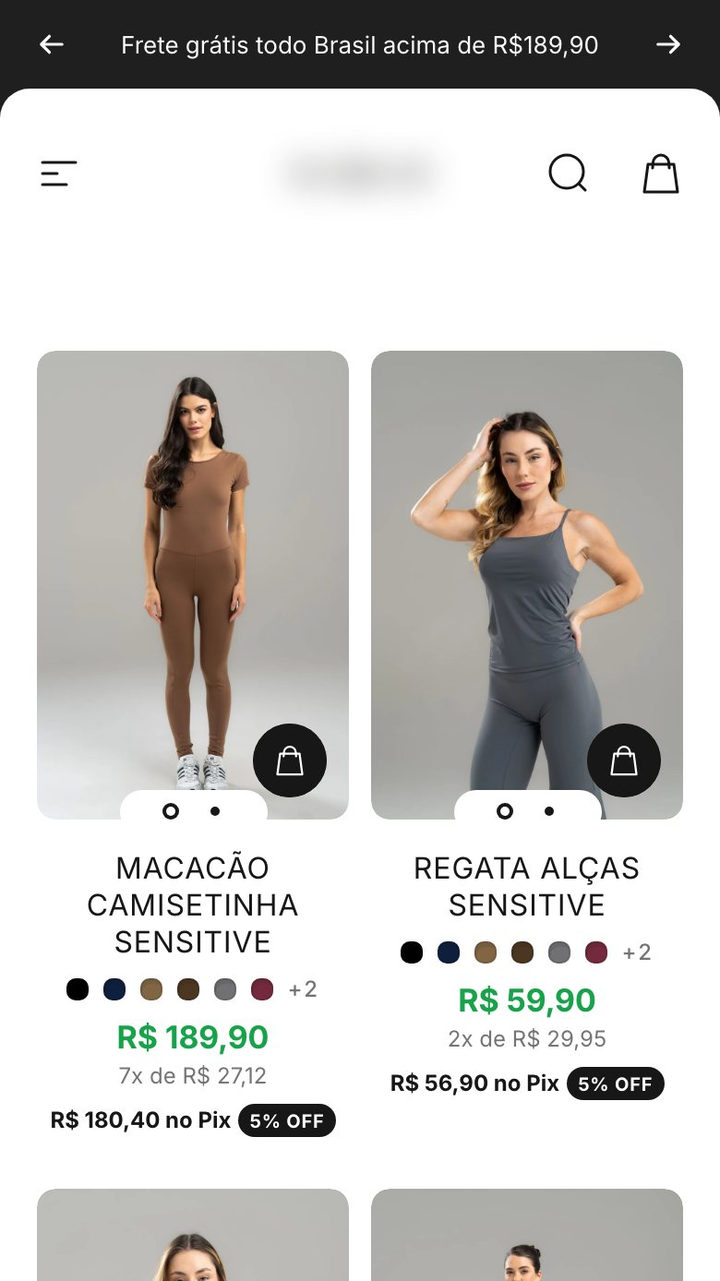
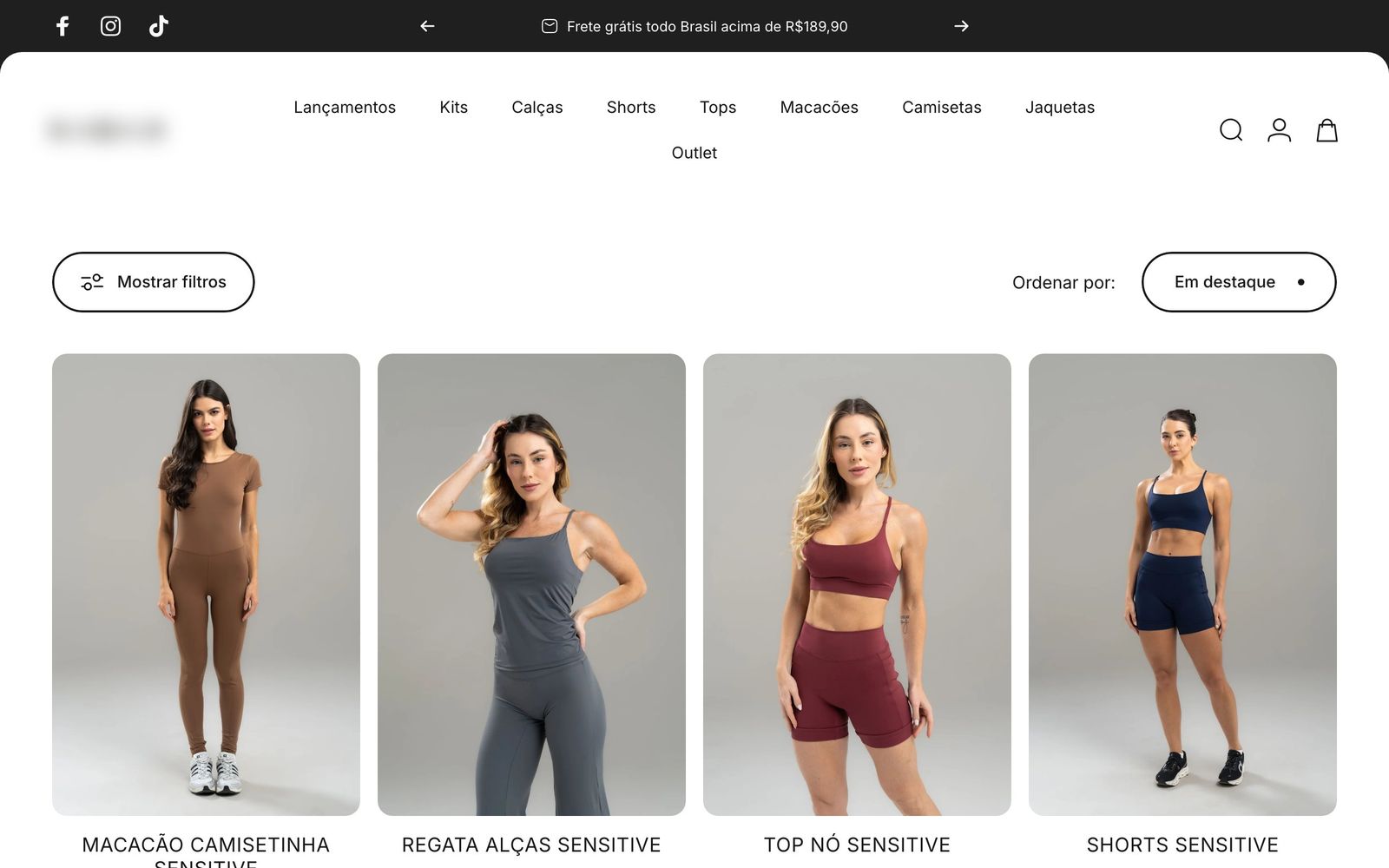
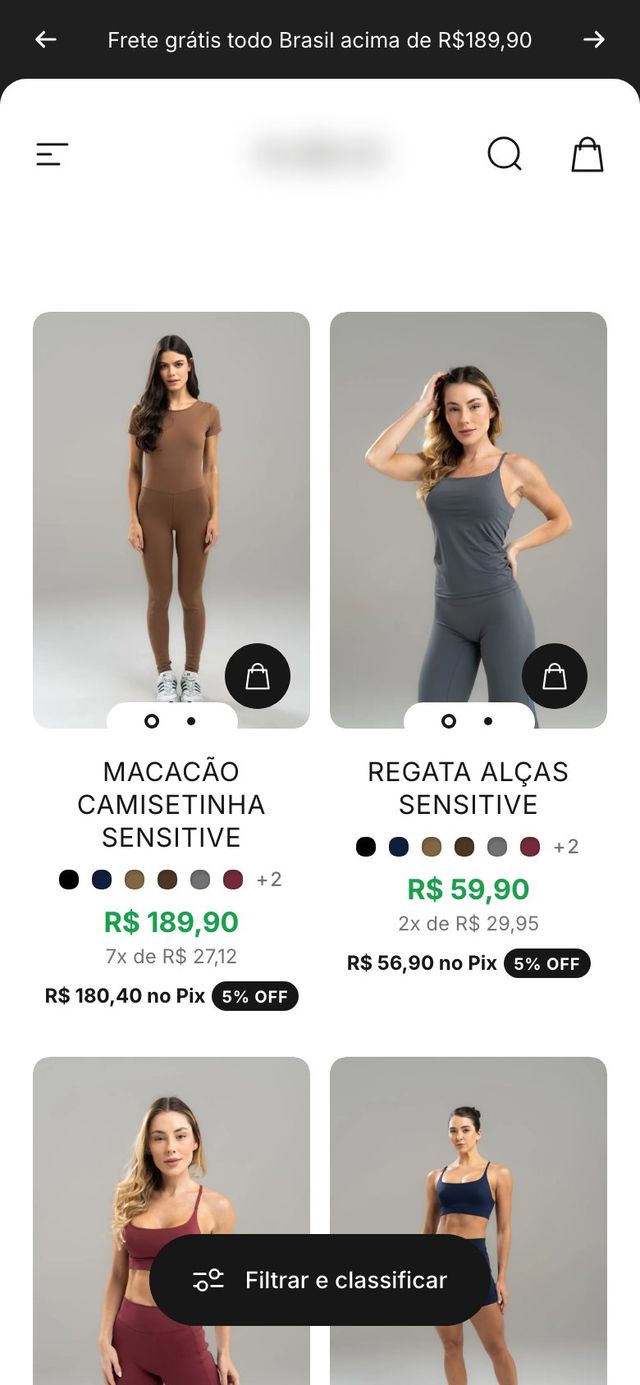
- Collections: a card for each colour with that colour's own photos, a photo carousel on the cards, Pix price, a shipping badge and kit swatches.
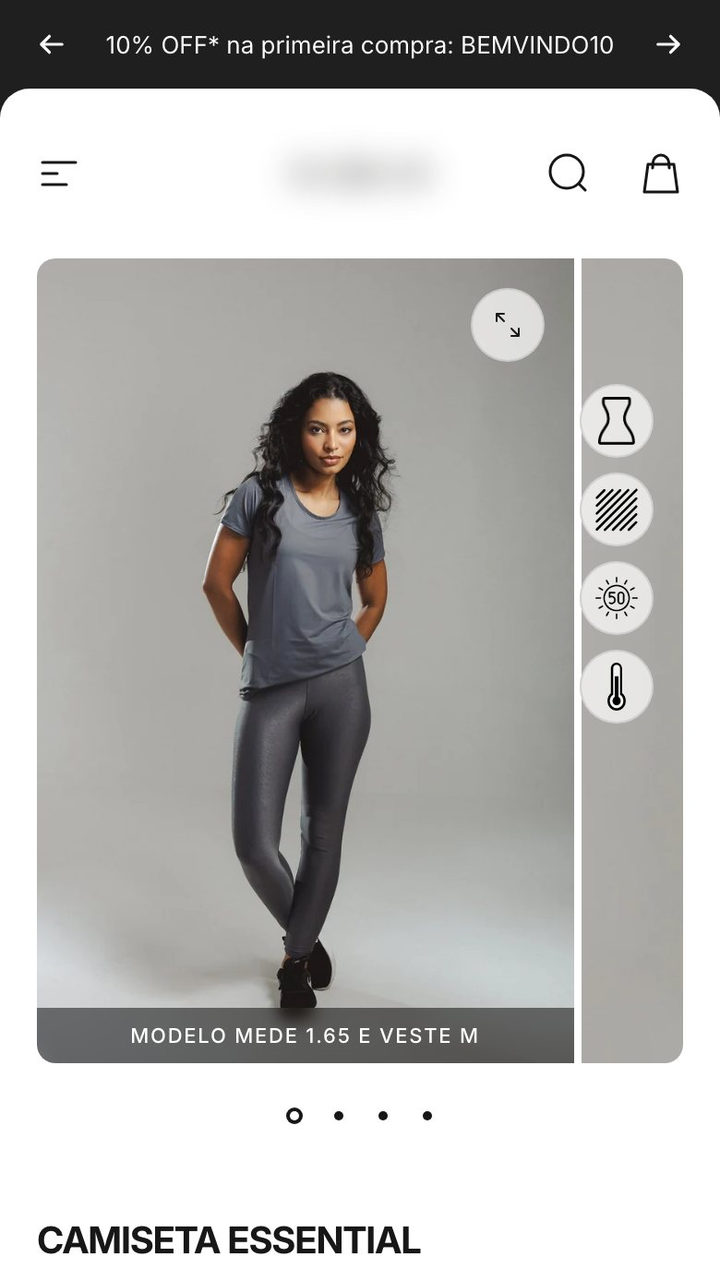
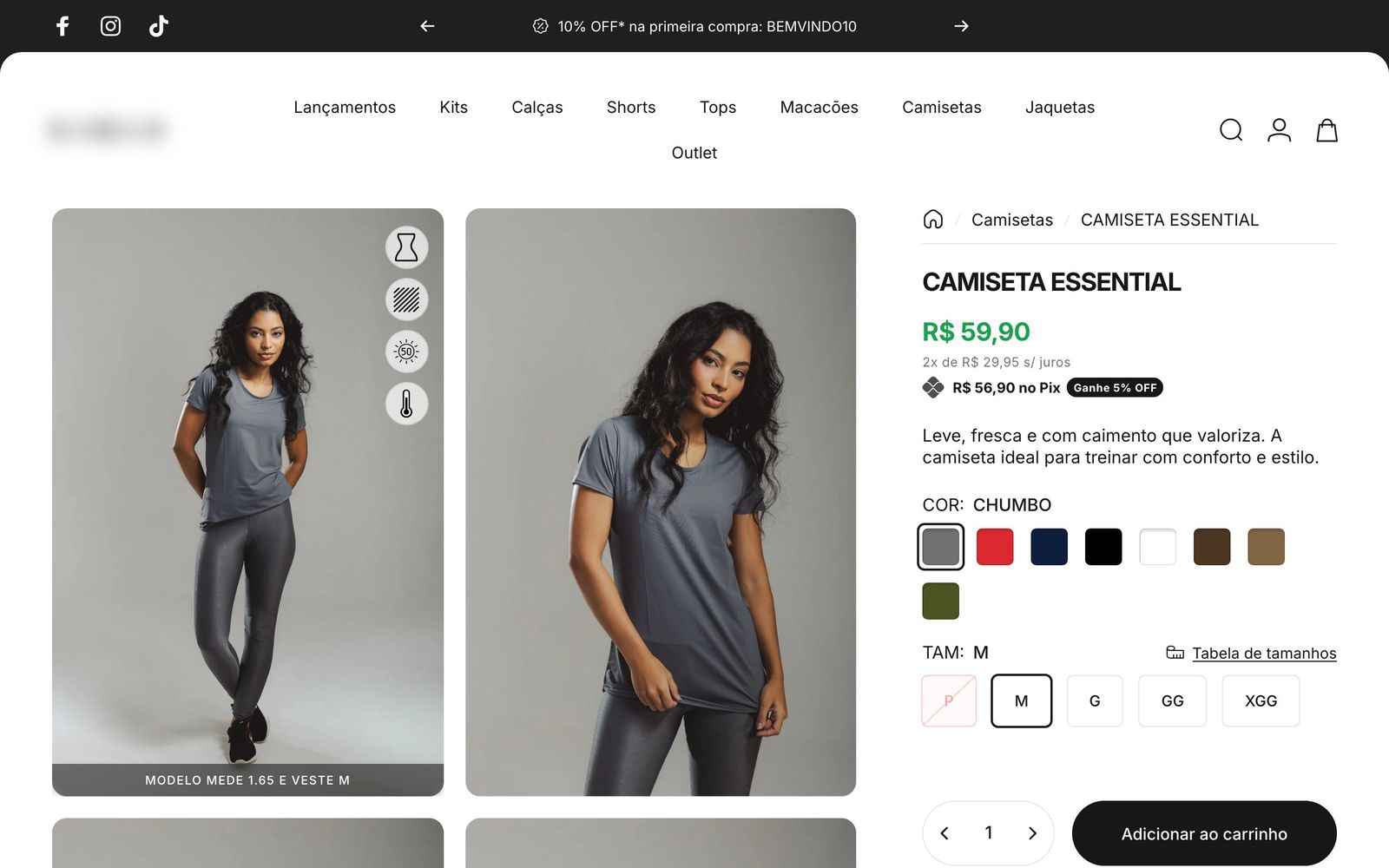
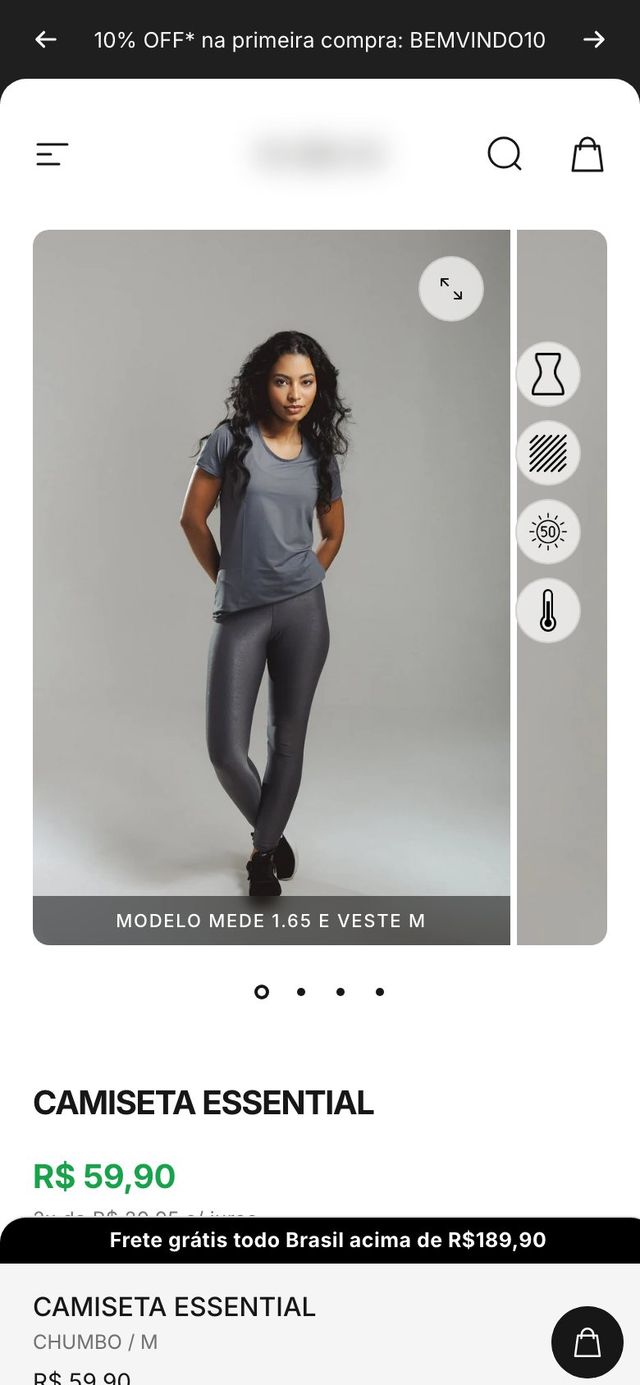
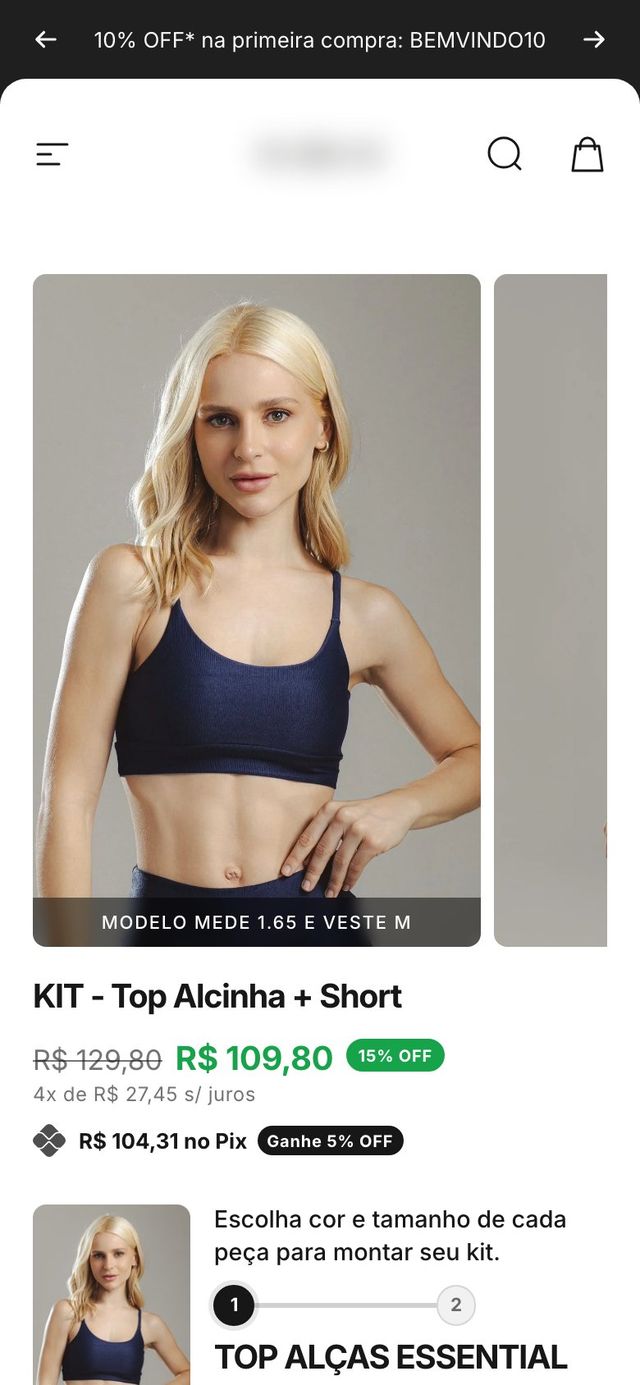
- Product pages: a gallery that follows the chosen colour, price with instalments and Pix, "complete the look", a comparison block, an FAQ filled from metafields and a sticky add-to-cart bar.
- Cart: the right image for each colour, instalments, and kits shown as one line.
Speed
Measured on real visits
- Real-user Core Web Vitals, collected from a sample of visits by monitoring I added to the theme.
- A layout-shift fix for the mobile bottom bar, and a package of SEO and structured data.
- The right variant image in product cards, the cart and the sticky bar, and checkout back on Shopify's native checkout.
Kits
One product, stock for each piece
Kits were sold as one Shopify product, but the brand's ERP (Bling) tracks stock per piece, so a kit sale didn't reduce stock for the pieces the shopper chose. The standard Shopify and Bling connection didn't break a kit into its pieces, and shoppers needed to pick colour and size for each piece, not just for the kit.
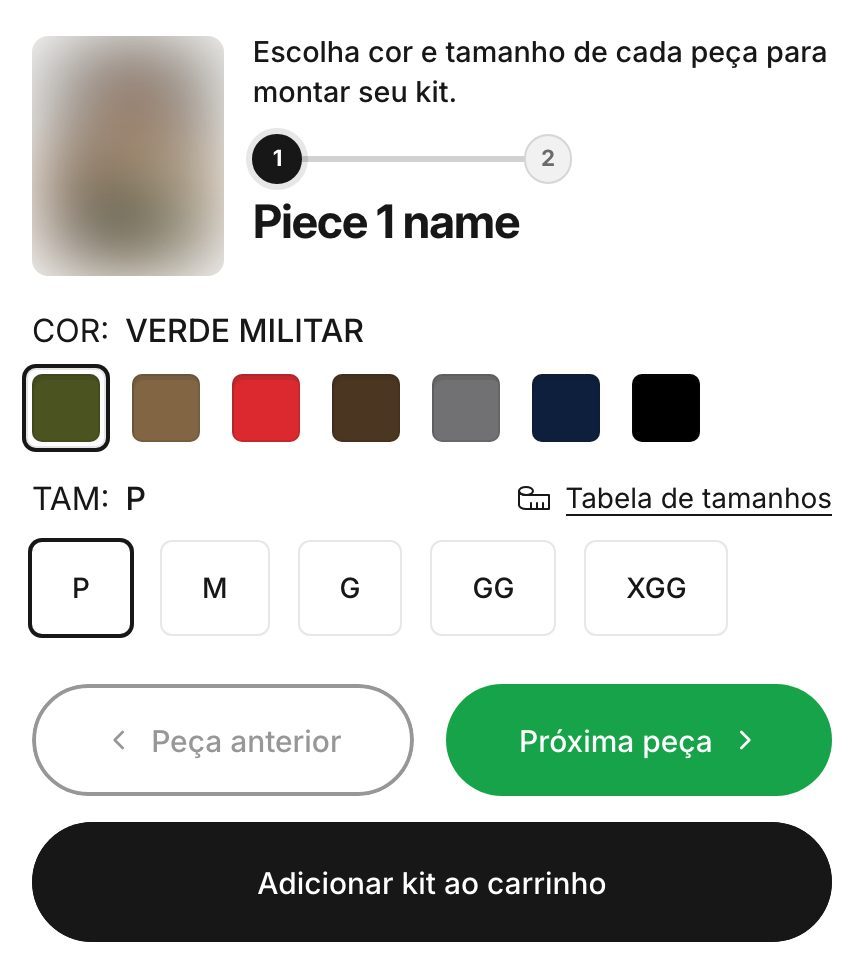
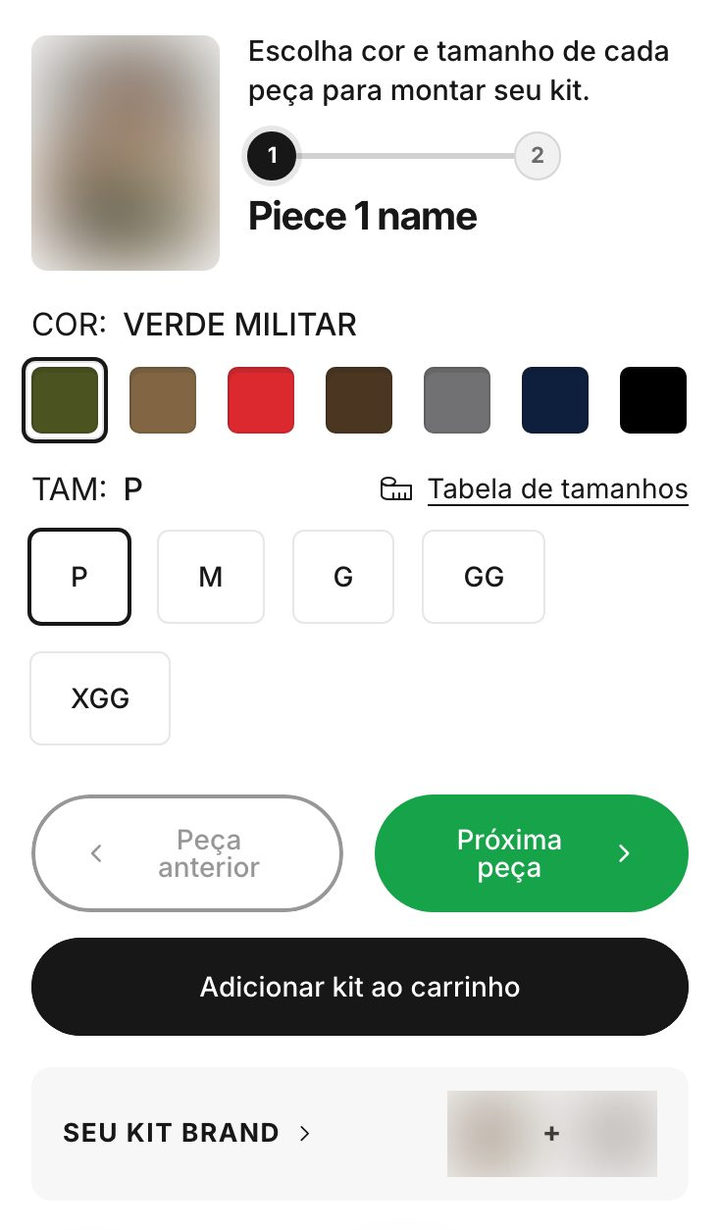
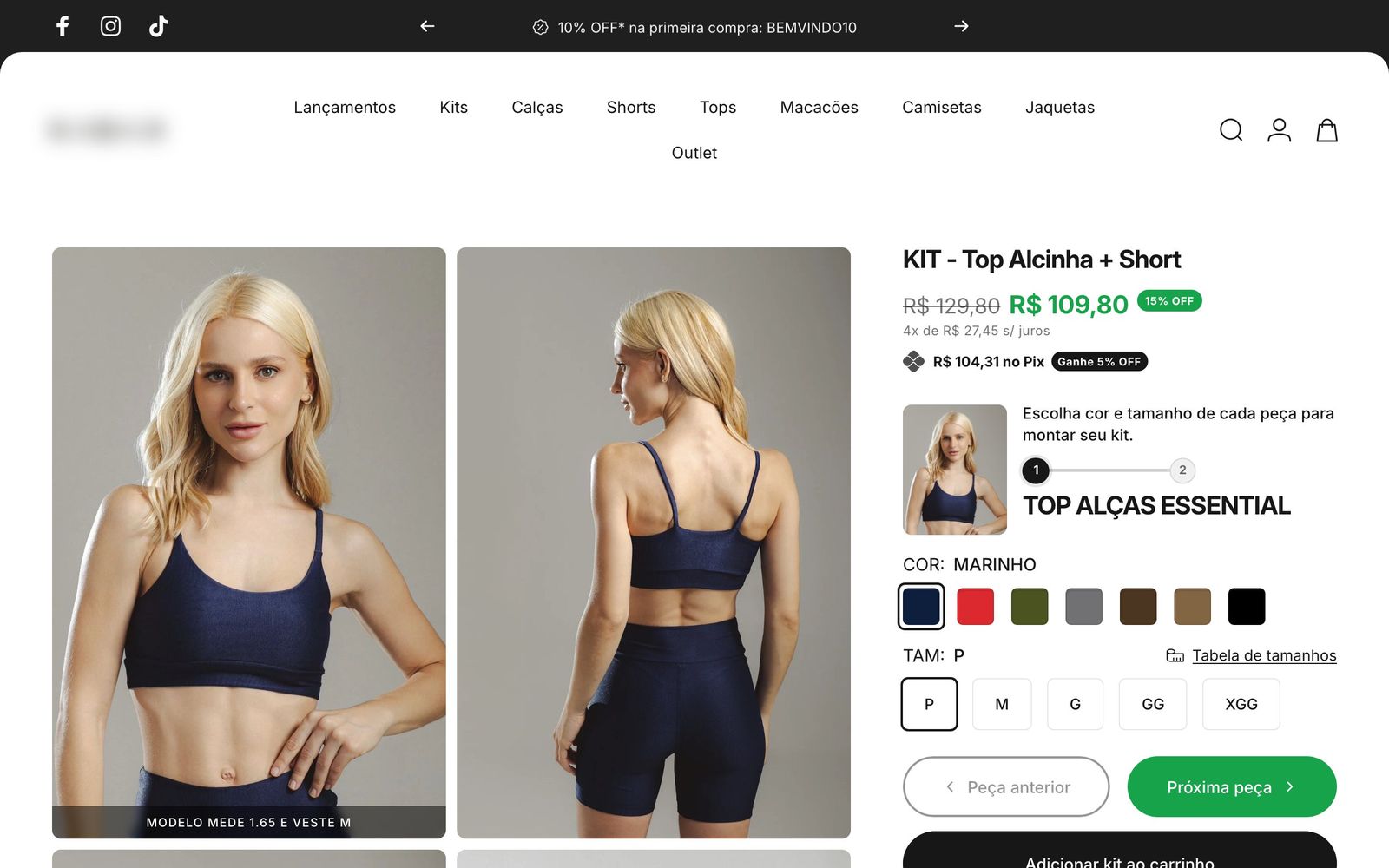
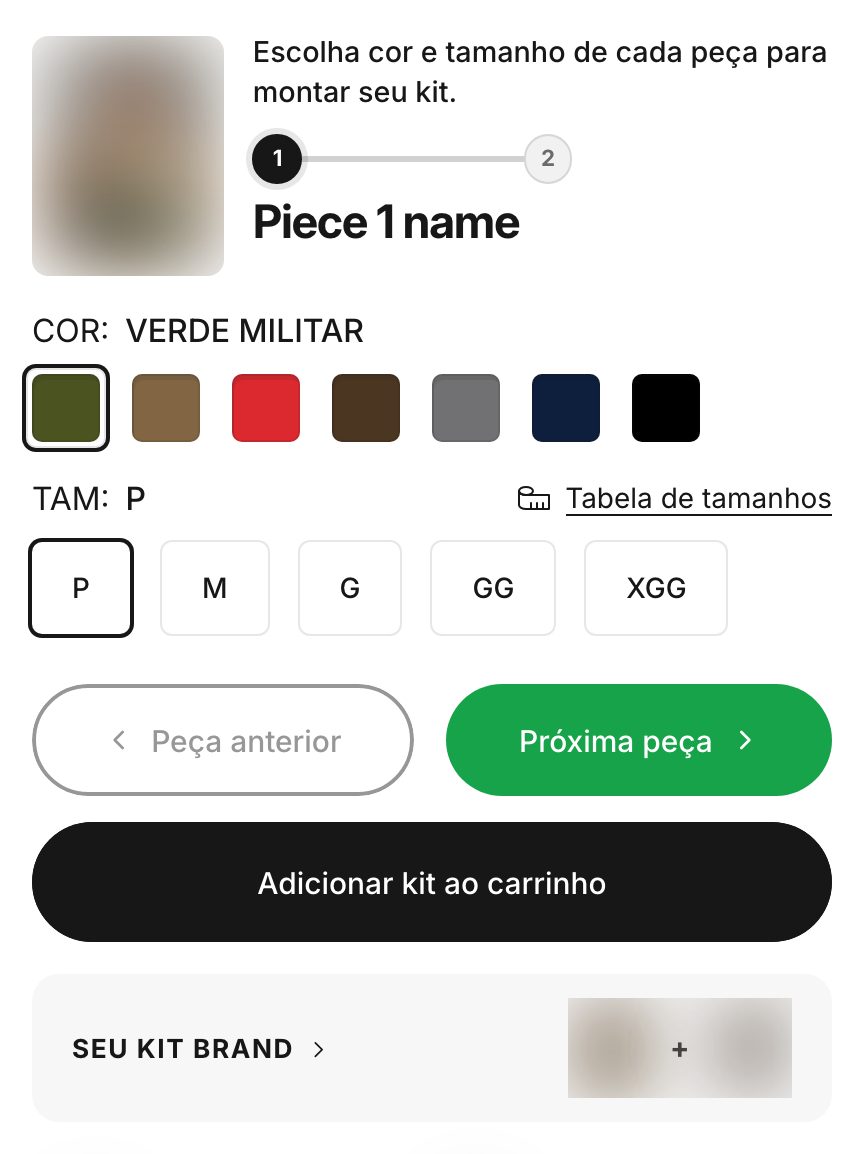
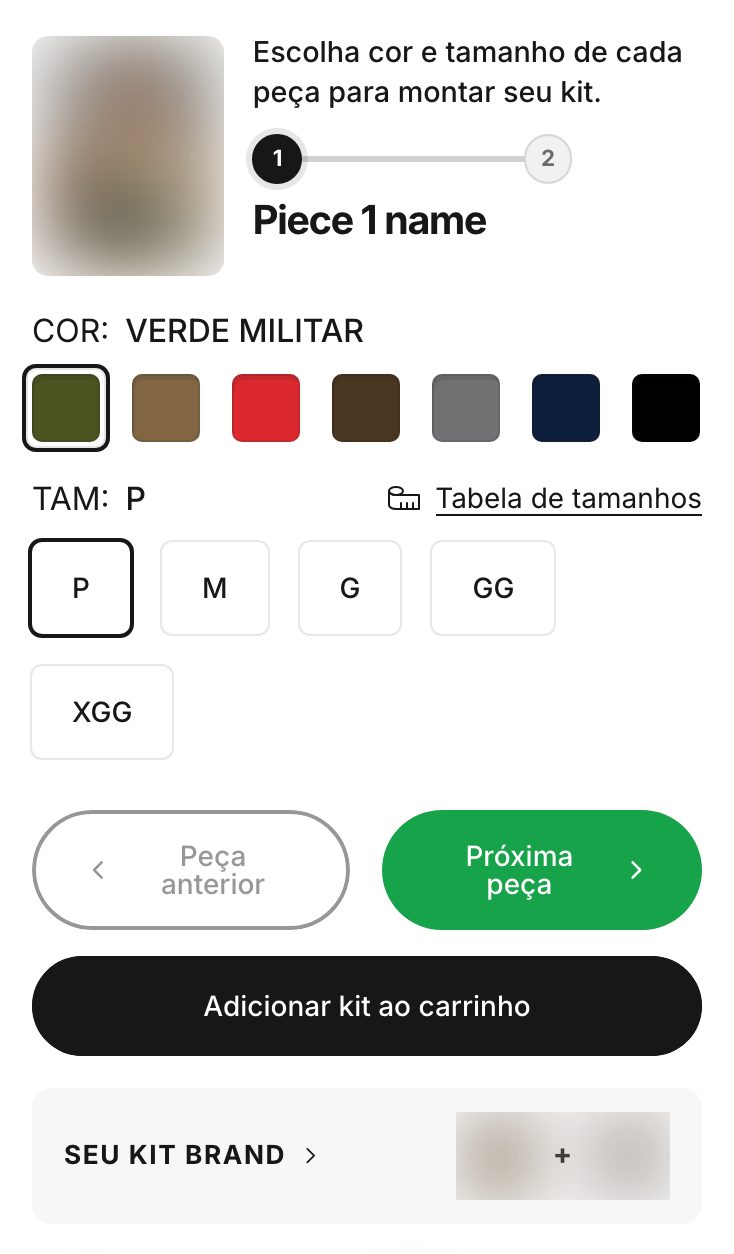
- A step-by-step kit builder on the product page: colour and size for each piece in turn, progress shown, and the whole kit added to the cart in one action.
- Piece details carried with the order. Each kit line carries hidden line-item properties for every piece: product, variant, SKU and image. The kit stays one product in Shopify.
- A stock service on paid orders. It verifies the Shopify webhook, reads the pieces from the order, resolves each piece's SKU and posts a stock movement for it in the ERP.
- Safe by default. Each movement is recorded before the ERP call with a unique key, so a repeated webhook doesn't move stock twice. Real writes need two settings switched on; otherwise the service runs as a dry run.
Proof
Live store and kits
- Live on all 12 kit pages of the store, checked on 2 October 2026; each kit is sold as a single product with one variant.
- Go-live, late May 2026 (from the rollout record): the first real order made no stock change because the app was still missing the ERP stock permission. Once the permission was granted, the next paid order moved stock for its two pieces.
Tech details
How it's built
- Cart contract: properties
_kit_component_<N>_…(product, variant, SKU, image) written by the storefront and read by the service. Nothing parses product titles, so renaming a product doesn't break the stock mapping. - Webhook:
orders/paid, with the HMAC signature verified over the raw body; each piece's SKU is resolved through the Shopify Admin API and matched to the ERP product. - Idempotency: a unique key per order, line item and SKU, recorded before calling the ERP. The protection lives in the database, not in the hope that webhooks arrive once.
- Rate limits and tokens: movements are posted one at a time with backoff on rate-limit responses; OAuth tokens are refreshed ahead of expiry and again on a 401.
- Variant images: one resolver reads the colour's gallery for product cards, the cart and the sticky bar, so every surface shows the colour the shopper picked.
- Stack: Liquid sections and JavaScript in the theme, Next.js route handlers, TypeScript, zod, Shopify Admin API, Bling ERP API v3 (OAuth2), Supabase, Vercel.
Credits Concept theme by RoarTheme; import and rebranding with a teammate; photography and brand by the client. Implementation assisted by AI coding agents
What this means for your store
I can develop a Shopify store and the operation behind it: the pages shoppers use every day and flows like kits that keep stock right for each piece. This project used Bling; another ERP would need its API and stock rules checked first.
or e-mail contato@rafaelshopify.dev