Integration2026
Product photo load for an ERP catalogue
Loaded 231 archive photos straight into Shopify by product and colour, checked against a manifest; FTP kept as a fallback.
Credits Linx/Millennium as ERP. Shipping and order steps reported by Rafael.
Evidence
What it delivers
Load manifest, 28 Sep 2026
One product: the first photo of each colour
| Archive photo | Colour | SKU prefix | File in Shopify | Gallery | Check |
|---|---|---|---|---|---|
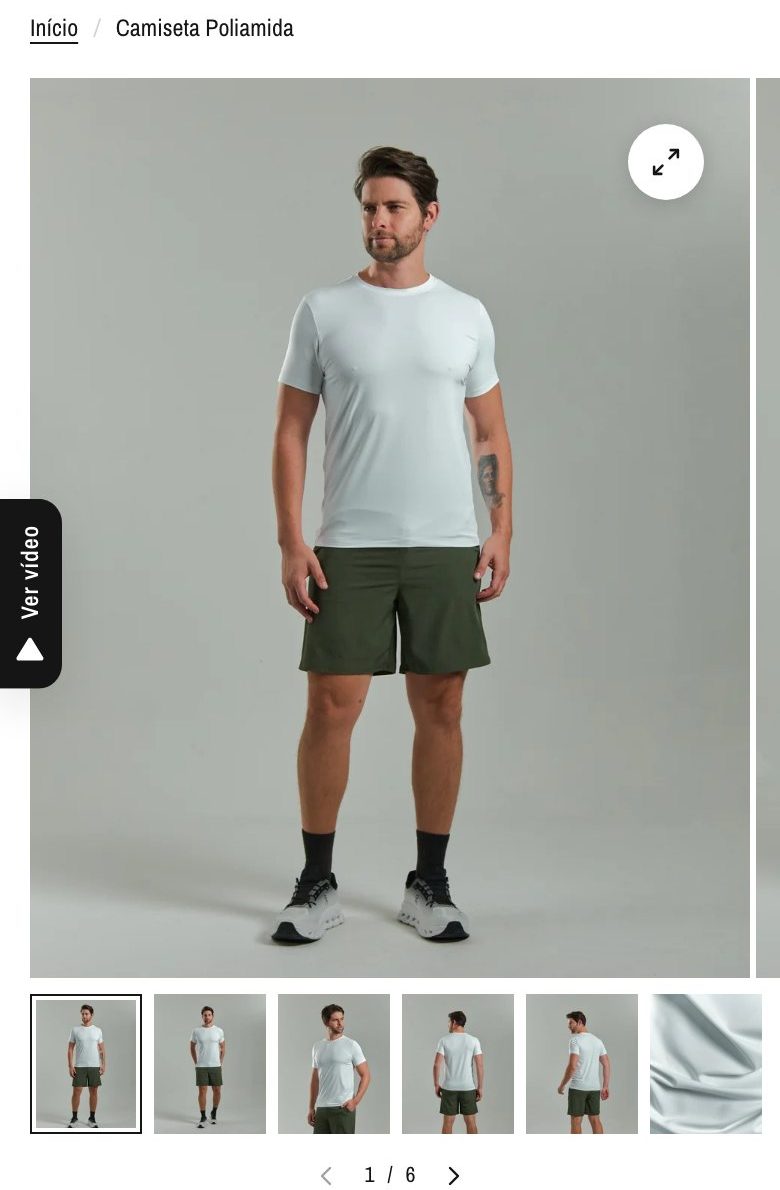
| 20586.jpg | BRANCO | 1006_1000 | camiseta-poliamida-branco-1.jpg | #1 · alt #cor_branco | attached, verified |
| 20770.jpg | AZUL MARINHO | 1006_4001 | camiseta-poliamida-azul-marinho-1.jpg | #6 · alt #cor_azul-marinho | attached, verified |
| 20502.jpg | PRETO | 1006_2000 | camiseta-poliamida-preto-1.jpg | #12 · alt #cor_preto | attached, verified |
| 21142.jpg | OFF WHITE | 1006_1001 | camiseta-poliamida-off-white-1.jpg | #17 · alt #cor_off-white | attached, verified |
Totals in the manifest: 231 photos, 13 products, 46 colourways, every row marked attached and verified. How the check works: a script reads the products back from Shopify and compares photo order, alt text and each colour's variant photo with the manifest.
The same product on the store
Overview
What I built
Part of Apparel store on an ERP catalogue.
How it's wired
The flow, step by step
ExplanationA diagram drawn for this page: how the flow is built, not live traffic.
- ERP creates the product, no photos
- Archive photos matched by product and colour code
- Renamed and loaded into Shopify
- Each colour's first photo set on its variants
- Read back and checked against the manifest
Need something similar? Tell me what you're working on.
Contact on LinkedInor e-mail contato@rafaelshopify.dev